September 2, 2026
A Home Router Security Checklist That Still Matters in 2026
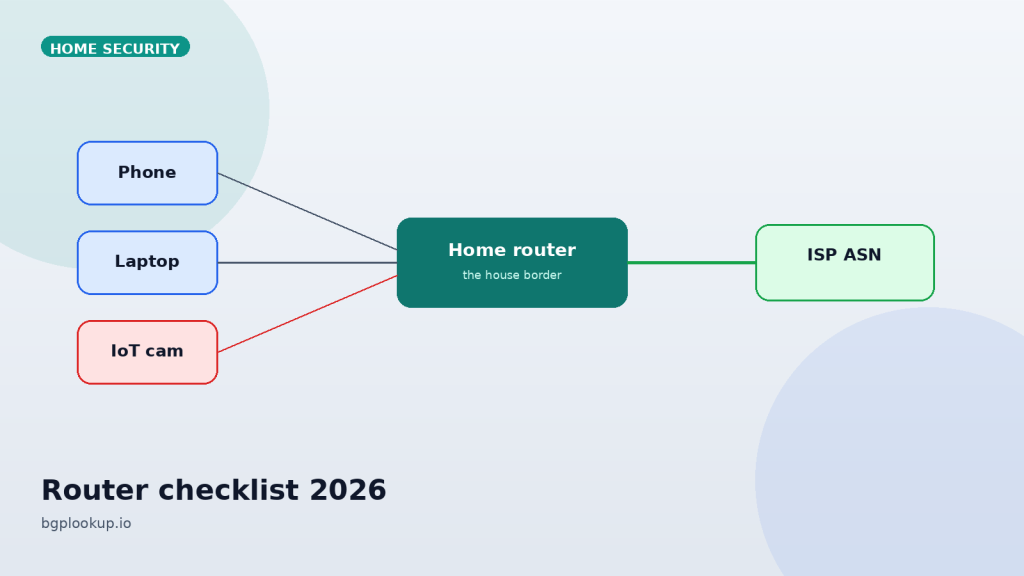
Your router is the border gateway of the house. Phones, laptops, cameras, and a smart fridge all inherit its DNS, its firmware bugs, and the path it chooses toward the public internet. Most “mystery slowness” and a surprising number of account takeovers start here, not on the device you are holding.
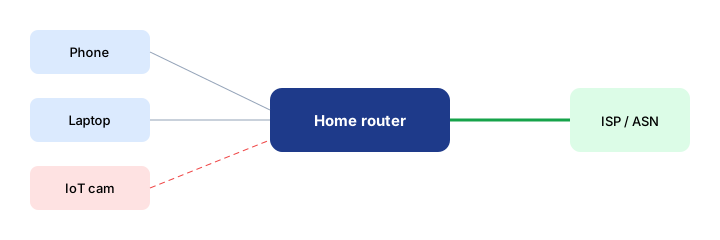
What “router security” actually means
A consumer gateway does four jobs at once: it terminates the ISP link, it NATs IPv4, it hands out addresses and DNS, and it runs a radio. Compromise any one of those and you do not need malware on the phone. An attacker who changes DNS can phish every login from a clean browser. An open admin panel on the WAN can rewrite port forwards overnight. A years-old firmware image can turn the box into a bot that still routes your traffic correctly, so you never notice.
Treat the checklist below as a quarterly pass, not a one-time setup wizard.
1. Identity and access
192.168.0.1 or 192.168.1.1.Default credentials are still published in manuals. If the vendor ships a unique sticker password, keep it only if you cannot replace it with a long passphrase stored in a password manager. Disable remote administration from the WAN unless you have a concrete reason and a source IP allow-list. “Remote management on, password of the month” is how botnets harvest home fiber lines.
Create a separate admin account if the firmware allows it. Do not browse the web while logged into the gateway UI on the same browser profile you use for mail.
2. Firmware is the real firewall
Most home gateways stop receiving updates two to four years after purchase. That is not a rumor; it is the support window printed on the product page. If the vendor’s site no longer lists your model, plan a replacement. Enabling “auto update” is useful only while the vendor still signs images.
After every firmware flash, re-check custom DNS, port forwards, and Wi-Fi names. Updates love to reset “helpful” defaults.
3. Wi-Fi that is boring on purpose
- WPA3-Personal if every device supports it; otherwise WPA2-AES. Never WEP, never WPA-TKIP.
- A long passphrase, not a clever word plus the street number.
- A guest SSID for visitors and for every camera, bulb, and speaker that does not need to talk to your laptop.
- Disable WPS. The PIN fallback is a gift.
- Hide-SSID is not security. It just makes support harder.
If you run a mesh, treat every node as an admin surface. The satellite in the hallway has the same firmware risk as the unit next to the ONT.
4. DNS is the silent hijack
Phones will use whatever resolver the DHCP server hands them unless you lock DNS in the OS. On the router, set resolvers you chose — a recursive resolver that supports DNSSEC validation, or a well-run public resolver over DoT/DoH if the firmware supports encrypted transport.
Then verify. From a laptop, resolve a name and confirm the source. If the router claims 1.1.1.1 but a lookup shows a strange forwarder, something on the LAN is intercepting port 53. That is more common on cheap “security” apps and on compromised IoT than people expect.
Related reading on this site’s blog pack: DNSSEC, DoH, and resolver choice. Pair that with a live IP Lookup of the resolver address so you know which ASN you actually trust.
5. UPnP, port forwards, and “just for the game”
Universal Plug and Play lets a device punch a hole without asking you. Consoles love it. So do worms. Disable UPnP on the WAN-facing gateway. If a title needs a forward, add one rule with a source restriction when the firmware allows it, and delete it when the season ends.
Walk the port-forward list twice a year. Forgotten camera NVRs and old Minecraft servers are still the most popular accidental honeypots in residential space.
6. IPv6 is not optional theater
If your ISP hands out a prefix, every device may have a globally reachable address even when IPv4 NAT “hides” them. That is fine when the firewall default is stateful deny-inbound. It is not fine when a consumer box ships with IPv6 firewall off, or when you expose ICMPv6 and management ports without noticing.
Check:
- IPv6 firewall enabled, inbound default deny.
- No WAN-side management on IPv6.
- Whether guest Wi-Fi also gets a global prefix. Many meshes forget.
Confirm the public IPv6 address with IP Lookup. The origin ASN should be your ISP, not a VPN you thought was off, and not a random hosting network.
7. Prove the path, do not assume it
Once a quarter, from the home LAN:
- Look up your public IPv4 and IPv6 on bgplookup.io.
- Note origin ASN, announced prefix, and geo. Geo will be coarse. ASN should not surprise you.
- Run a global ping to a known-good anycast (a public DNS or a large CDN) and to a unicast host you care about.
- Run traceroute and read the first two hops. The first hop is your CPE. The second should look like your ISP, not a coffee-shop VPN concentrator you forgot.
If the origin ASN is a cloud VPN or a distant hosting provider while you think you are “just on the ISP,” a device on the LAN is tunneling. That is a configuration finding, not a vibe.
8. Business-from-home extras
If payroll, EHR, or customer data crosses this router, add a second layer: a small firewall or a well-supported open-source router behind the ISP gateway, in true bridge or DMZ mode. Do not double-NAT by accident. Put work devices on a VLAN or at least a second SSID that cannot reach baby monitors.
Work laptops should use the company VPN as policy, not as a mood. Split-tunnel VPNs still send DNS and update traffic out the home path. Know which.
A 20-minute pass you can repeat
- Admin password unique and long; WAN admin off.
- Firmware date is current or the box is scheduled for replacement.
- WPA2/WPA3, WPS off, guest SSID on for IoT.
- DNS set deliberately; port 53 not hijacked.
- UPnP off; stale forwards deleted.
- IPv6 firewall on.
- Public IPs match the ISP ASN on a live lookup.
Verify the edge: paste your public address into IP Lookup, then compare paths with Traceroute.
FAQ
FAQ
Is a new mesh system automatically secure?
No. It is a new admin plane plus radios. Check the same items: updates, WAN admin, guest isolation, DNS.
Should I disable IPv6 at home?
Only if a device is broken. Prefer a working stateful firewall over turning half the internet off.
Does changing DNS on the phone override the router?
Yes, if the OS uses Private DNS / DoH. That is good when you chose it, bad when a free app chose it for you.